How to get your funding application from BidBuilders
This guide shows you what to click, one step at a time. You do not need to have written a bid before.
Online version: bidbuilders.co.uk/help.html · Questions: grants@bidbuilders.co.uk
Before you start: have these to hand
You do not need all of them. The more you have, the better your draft.
- Your group’s name, or its charity or company number (we fill in your details from it)
- An annual report or an old funding application, if you have one
- Rough numbers: how many people take part each week and each year
- What you would like the money for, and roughly what it costs
- Any grants you have had before
- Which policies you have: safeguarding, insurance and so on
What it costsYour first application is free. No card is needed. After that it is £49 a month, and you can stop at any time.
Not sure you are ready?The free readiness checker asks 12 quick questions and tells you what to sort out first.
Start, and let us fill it in
About 2 minutes
Goal: most of your details are filled in for you.
- Go to bidbuilders.co.uk and click Start an application.
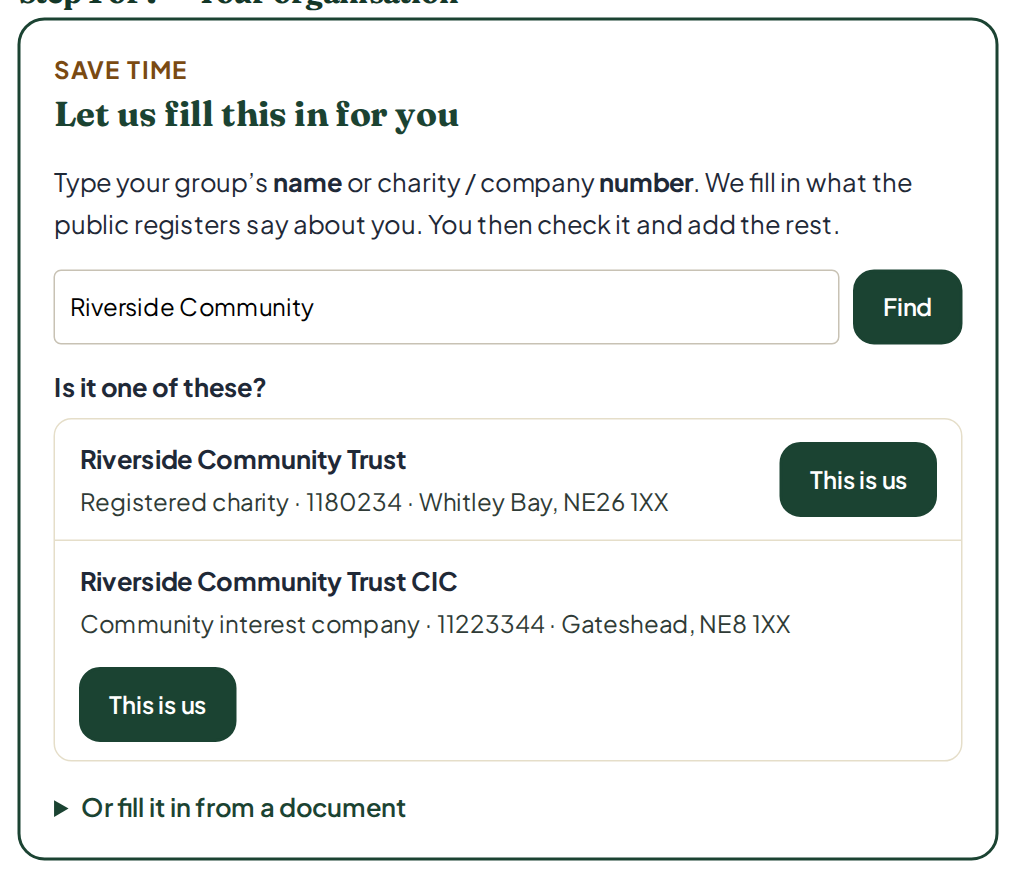
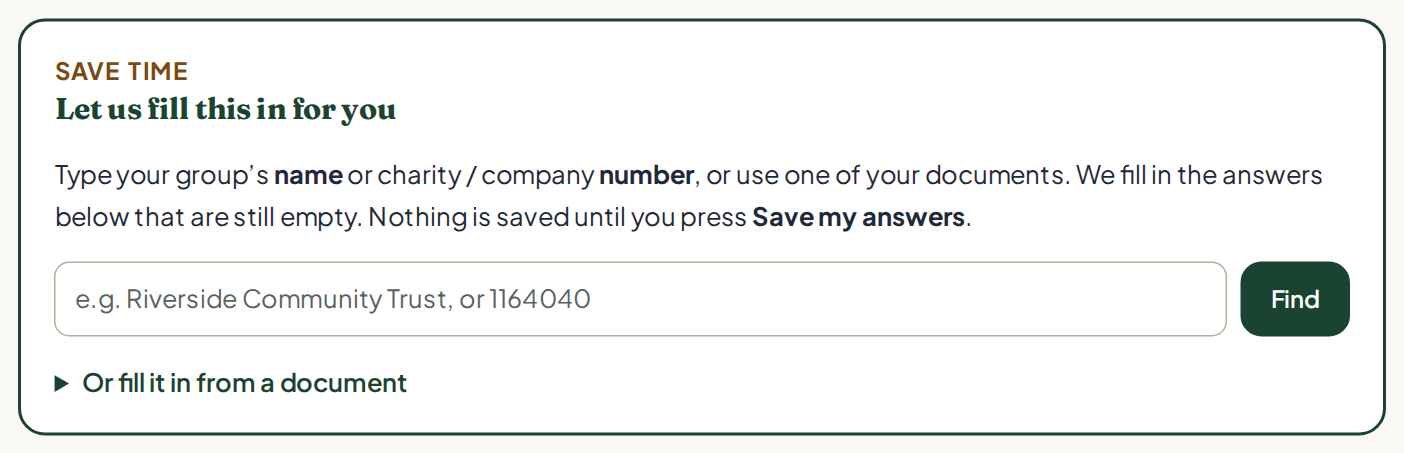
- At the top of step 1 is a box called Let us fill this in for you. Type your group’s name or its charity or company number.
- Click Find. A green bar shows it is working. Searching can take up to 20 seconds.
- Click This is us next to your group.
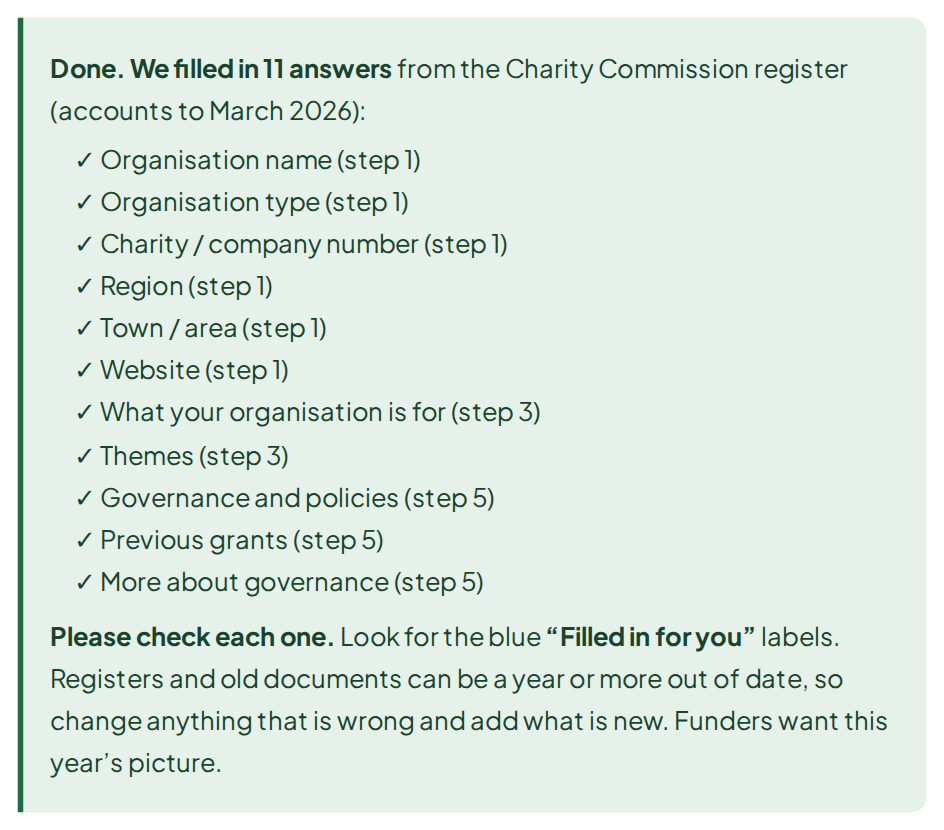
What you getA green box lists every answer we filled in, across all the steps. We only fill answers that are empty. We never change what you have typed.
Not on a register? Use a document instead
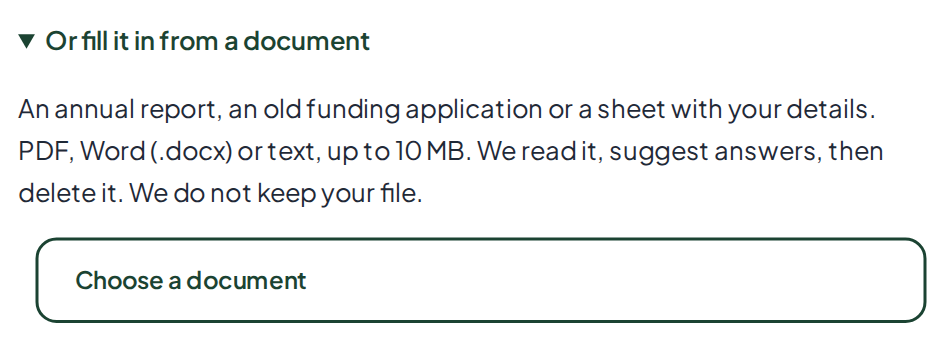
- Click Or fill it in from a document, under the Find box.
- Click Choose a document. Pick an annual report, an old application or a sheet with your details.
- Wait up to half a minute. The green box lists what we filled in.
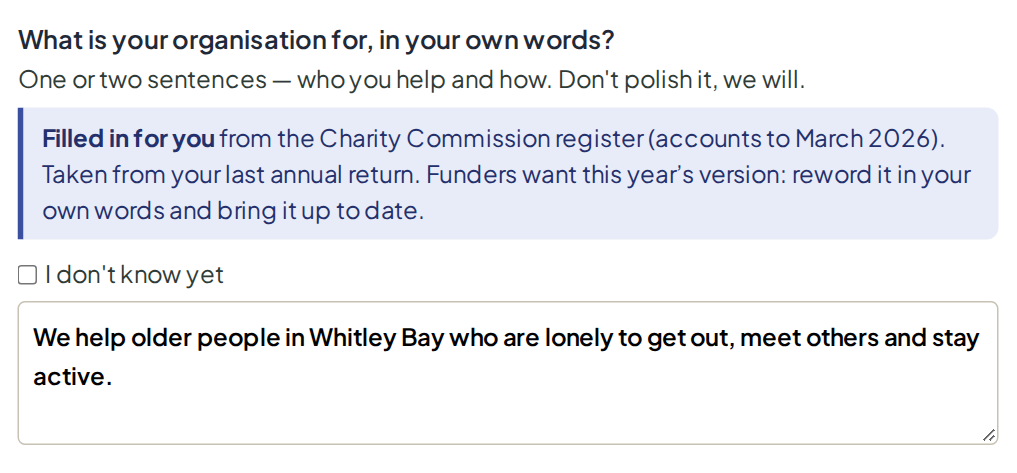
Check every answer we fill inEach one has a blue Filled in for you label. Registers and old documents can be a year or more out of date. Change anything that is wrong, and add what is new. The label goes away once you change the answer.
Answer the seven steps
About 15 minutes. Less if we filled things in.
Goal: every step answered, in your own words.
| Step | What it asks |
|---|---|
| 1. Your organisation | Name, type, number, region, area, website |
| 2. You | Your name and email (where your draft is sent) |
| 3. What you do | What your group is for, and what you run week to week |
| 4. Who benefits | How many people, and who they are |
| 5. Track record | Past grants, what you are proud of, your policies |
| 6. The project | What you want to do, why it is needed, what will change |
| 7. Money | What it costs, and how much to ask for |
- Answer each question. Short answers are fine. Write as you would talk.
- Give real numbers and real places where you can: “35 people every Tuesday at St Mary’s hall”.
- Click Next at the bottom of each step.
Not sure of an answer?
- Tick I don’t know yet above the box. We mark it as a gap for you to fill later. We never make up an answer.
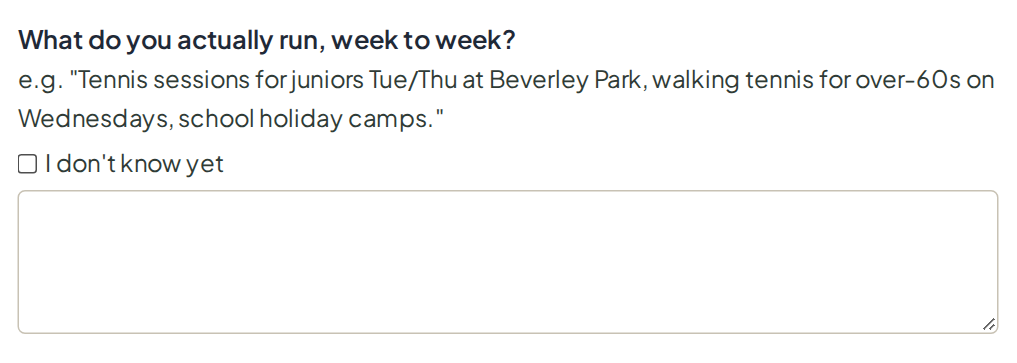
Need someone else’s help?On steps 3 to 6, click Send these questions to someone else. You can copy, email or print them for a colleague.
Not sure what project to ask for?Step 6 has the Project Finder. It turns rough ideas, or what you already do, into projects funders like.
Short on time?Click Save & continue later near the top. It makes a free account so you can finish another day.
Send it to us
About 1 minute
Goal: your answers reach Colin.
- On step 7, tick the box to say you are happy for us to store your details.
- Click Submit.
- If you do not have an account yet, choose a password. This makes your free account.
What happens nextColin picks the right funder, writes your draft from your answers, and checks every line himself. We aim to send it within 10 working days.
Your draft arrives
We email you when it is ready
Goal: you can read your draft.
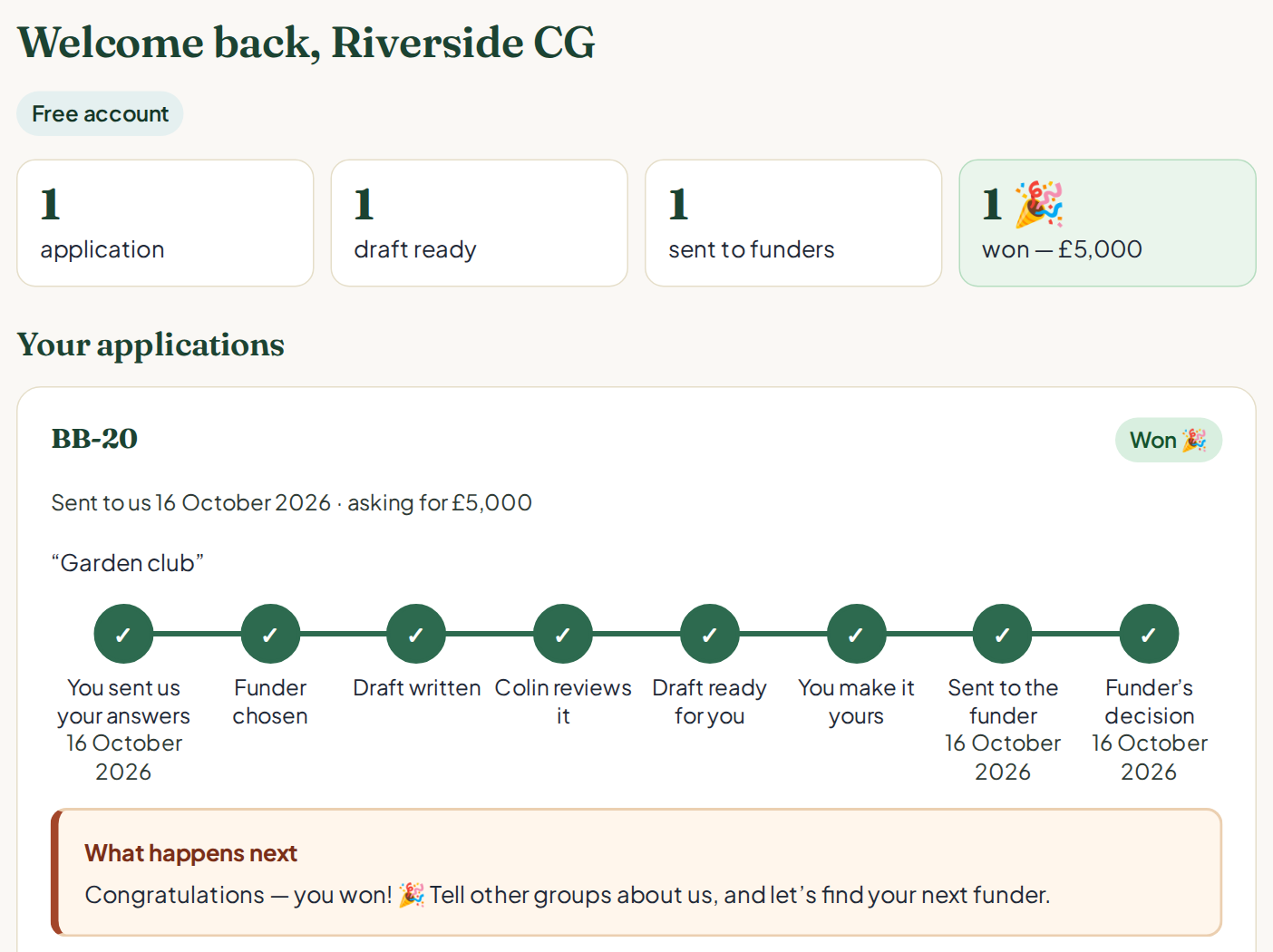
- Open our email and click the link. Or go to bidbuilders.co.uk and click My portal.
- Sign in with your email and password. No password? Click Email me a sign-in link.
- Under Your applications, click Open my draft.
Make it yours
Allow an hour
Goal: a draft with no gaps, that sounds like you.
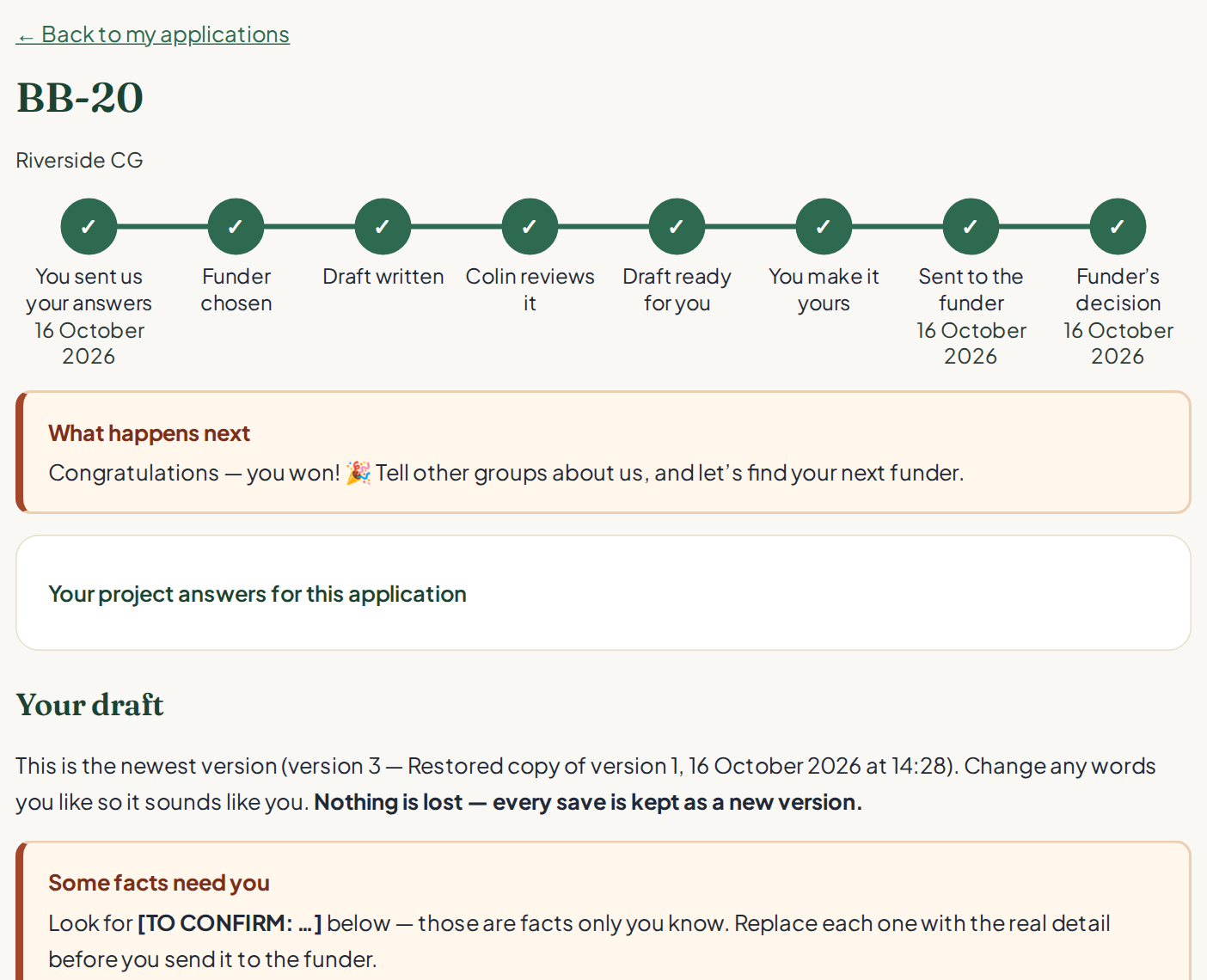
- Read the whole draft once.
- Look for [TO CONFIRM: …]. Each one is a fact only you know. Replace it with the real detail.
- Change any words you like, so it sounds like your group.
- Watch the word count under each answer. Funders often cut off long answers.
- Click Save my changes. Every save is kept, so nothing is lost.
Want help with it?
- AI re-write: type what you would like, such as “shorter sentences”, then click Use my AI re-write. You get one per application. Your facts stay the same.
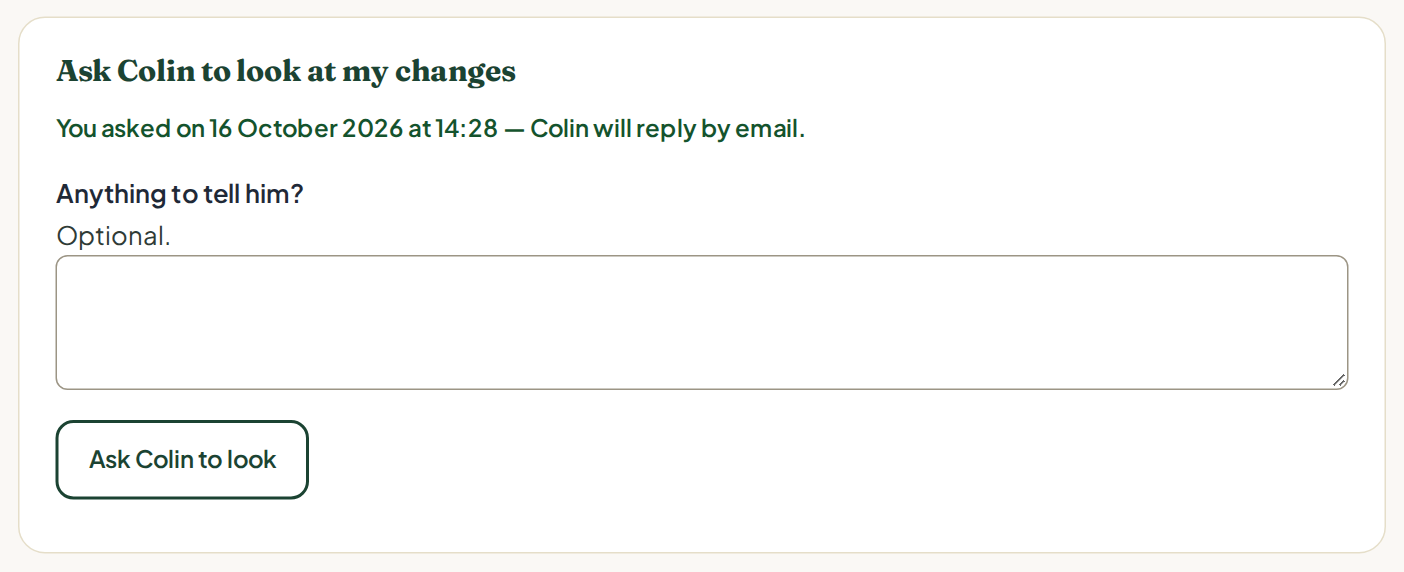
- A second pair of eyes: under Ask Colin to look at my changes, add a note and click Ask Colin to look. He replies by email.
Changed your mind?Under Versions, you can go back to any earlier version.
Send it to the funder
Then tell us how it went
Goal: your application is with the funder.
- Click Copy all answers.
- Open the funder’s own form. Paste each answer into the matching question. Check the word limits on the form.
- Read it all once more. Then press the funder’s submit button.
- Back in your portal, under Sending it to the funder, click I’ve sent it to the funder.
- When you hear back, click We won! 🎉 or Not this time.
We do not send it for youYou send the application to the funder. You stay in control of what is sent.
Not funded?That is normal. Tell Colin what the funder said. Your next application will be stronger.
Keeping your answers up to date
Your answers about your group are saved, so you only tell us once. Next time is quicker.
- In your portal, click My answers.
- Use Let us fill this in for you at the top to fill any empty answers, from the registers or from a document.
- Change anything that is out of date.
- Click Save my answers. Nothing is saved until you do.
Inviting a colleague
- In your portal, click Team.
- Type their email. Click Send the invitation.
- They can read your drafts and make changes. Every change shows who made it.
Questions and problems
We cannot find our group
Try fewer words, such as the first two words of your name. Or type your registration number. The search covers charities in England and Wales, and companies (including CICs) at Companies House. Not registered, or a Scottish or Northern Irish charity? Use Or fill it in from a document, or just type your answers.
Something you filled in is wrong
Just change it. We only fill empty answers, and you always have the final say.
We are not a registered charity
That is fine. Constituted community groups and CICs can apply too. Choose your type on step 1.
I do not know an answer
Tick I don’t know yet. The draft will show [TO CONFIRM] there, so you can fill it in later.
I closed the page by mistake
Open the form again on the same device: your answers are still there. If you made an account, sign in and they follow you to any device.
I cannot sign in
On the sign-in page, click Email me a sign-in link. Check your spam folder if it does not arrive in five minutes.
How long does a draft take?
We aim to send it within 10 working days of your answers. Filling in any gaps quickly helps.
What does it cost?
Your first application is free, with no card needed. After that it is £49 a month, and you can stop at any time.
Still stuck?
Email grants@bidbuilders.co.uk, or reply to any of our emails. A real person, Colin, will help.